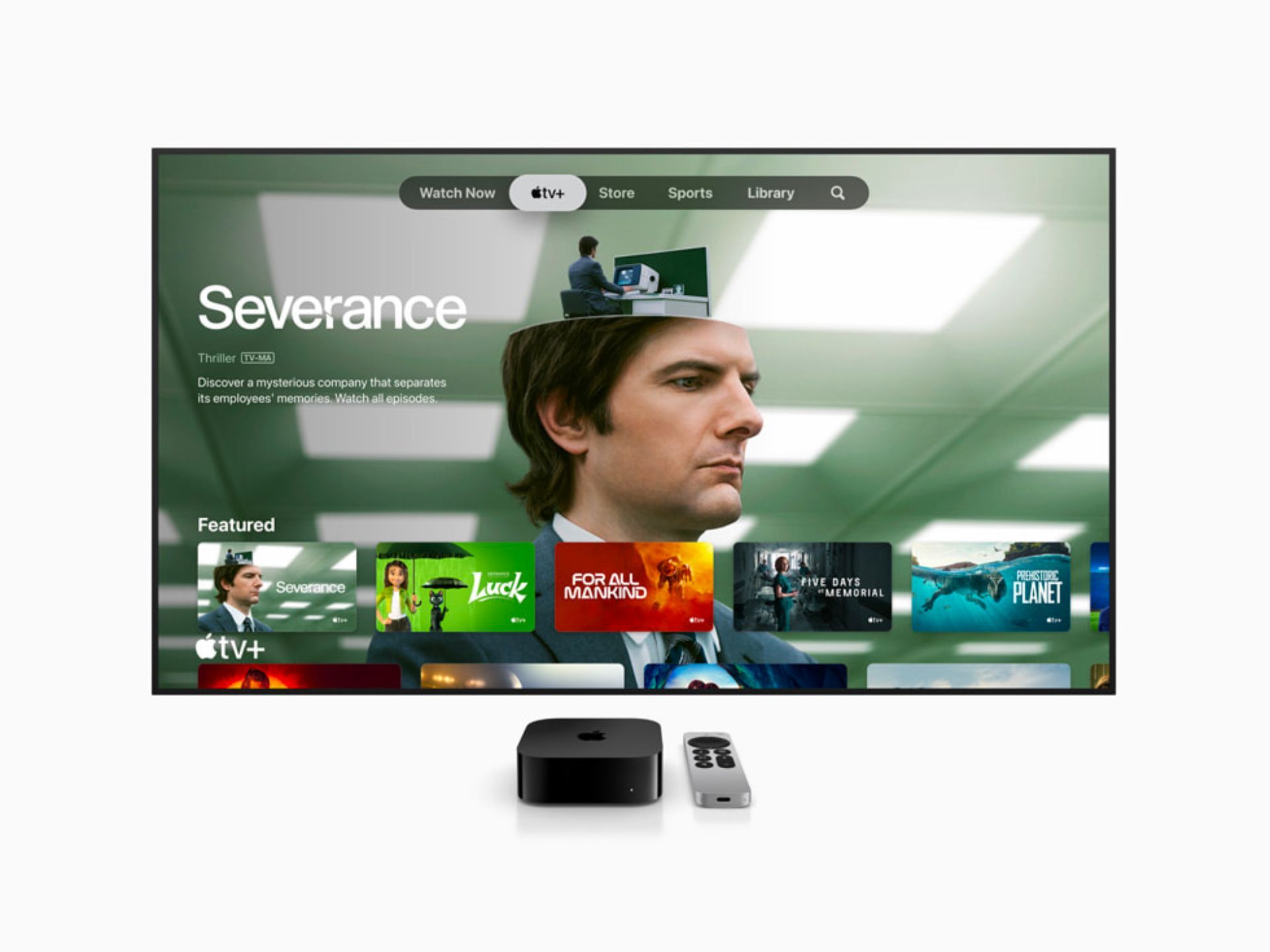
The streaming world is messy. Between smart TVs that lag after six months and cheap sticks that overheat during a Netflix binge, finding a device that actually stays fast feels like a chore. Honestly, most people just settle for whatever software is built into their television. But if you care about your sanity—and your picture quality—the Apple TV 4K 3rd Generation is basically the only box worth buying right now. It isn't just about having another way to watch Severance. It’s about the hardware. While the competition tries to save pennies on processors, Apple dropped the A15 Bionic chip into this thing. That is the same silicon that powered the iPhone 13 Pro. It is complete overkill for a streaming box. And that is exactly why it works.
People often ask if they really need a separate box. Your TV has apps, right? Sure. But those built-in platforms are usually subsidized by selling your data or pushing ads into every corner of the UI. Apple takes a different swing. The Apple TV 4K 3rd Generation stays snappy because it has more horsepower than it knows what to do with. You won't see the "spinning wheel of death" when switching from Disney+ to YouTube. It just happens.
The Ethernet vs. Wi-Fi Confusion
There is a weird quirk with this specific generation that catches people off guard. Apple sells two versions. One has 64GB of storage and is Wi-Fi only. The other has 128GB, an Ethernet port, and Thread support. If you are a serious nerd about your home setup, the 128GB model is the only one that exists in your mind. Why? Thread. It is a mesh networking protocol that makes your smart home devices—like lights or thermostats—talk to each other instantly without clogging up your Wi-Fi. If you buy the base model, you lose that. You also lose the stability of a hardwired internet connection. For a $20 price difference, the 64GB version feels like a trap.
HDR10+ and the Samsung Problem
For years, Apple TV users who owned Samsung TVs were stuck. Samsung refuses to support Dolby Vision, preferring their own open-standard called HDR10+. Previously, the Apple TV only did Dolby Vision and standard HDR10. This meant Samsung owners were getting a downgraded experience. The Apple TV 4K 3rd Generation fixed this. It added native HDR10+ support.
Now, if you have a QN90C or any high-end Samsung panel, you finally get that dynamic metadata. The TV adjusts brightness and contrast scene-by-scene, or even frame-by-frame. It looks stunning. I've tested Top Gun: Maverick on both versions, and the way the 3rd gen handles the desert highlights on a Samsung screen is night and day compared to the older models. It’s subtle, but once you see the extra detail in the shadows, you can't go back.
That Remote Is Either a Dream or a Tool of Chaos
Let's talk about the Siri Remote. The older, black glass remote was a disaster. It was symmetrical, so you always picked it up upside down in the dark. The new silver aluminum one that comes with the Apple TV 4K 3rd Generation is better, mostly. It uses USB-C for charging now, which is a huge win for anyone trying to kill off Lightning cables.
But it’s still touch-sensitive.
Some people hate the clickpad. You can go into settings and turn off the touch surface so it only works with clicks, which I highly recommend if you find yourself accidentally fast-forwarding when you just wanted to pause. One pro tip: use your iPhone as a remote. If you need to type in a long, annoying password for a random niche streaming app, the keyboard pops up on your phone automatically. It makes the setup process less of a headache.
Gaming and the Hidden "Console" Potential
Apple keeps trying to make "Apple Arcade" happen. Is it a PlayStation 5 killer? No. Not even close. But the Apple TV 4K 3rd Generation is surprisingly capable of playing games like Oceanhorn 2 or NBA 2K24 at high frame rates. Because the A15 chip is so efficient, the box doesn't even have a fan anymore. The 2nd gen had a fan. This one is just a solid block of silent tech.
If you pair a DualSense or Xbox controller, it’s a great little machine for kids or casual sessions. The latency is impressively low. Just don't expect it to run Cyberpunk 2077. It’s a streaming box first, and a mini-console second.
The Audio Secret: eARC
One of the most underrated features of the Apple TV 4K 3rd Generation is eARC support. This is a bit technical, but it’s a lifesaver. If you have a pair of HomePods, you can set the Apple TV to take the audio from your entire TV—including your gaming console or cable box—and send it to the HomePods.
Imagine playing your Nintendo Switch, but the sound is coming out of your high-end Apple speakers. It works seamlessly. Most people don't realize the Apple TV acts as a central audio hub for the whole living room, not just its own apps. It’s a niche use case, but for those of us with minimal setups, it’s brilliant.
Is It Worth the Upgrade?
If you have the 2nd generation (the one from 2021), the jump to the Apple TV 4K 3rd Generation is minor. You get HDR10+, a slightly faster chip, and a USB-C remote. Unless you have a Samsung TV or you're desperate to get rid of Lightning cables, you can probably wait.
However, if you are still on the original 4K model or, heaven forbid, the 1080p HD version, the difference is massive. The old ones feel sluggish now. Apps take three or four seconds to load. On the 3rd gen, everything is instantaneous. It’s the difference between driving an old sedan and a brand-new electric car. Both get you there, but one is a lot more frustrating.
Actionable Next Steps for New Owners
- Check your HDMI cable: Don't use an old cable from 2015. You need a "Certified Ultra High Speed" 48Gbps cable to ensure you don't get flickers or black screens when switching into 4K HDR modes.
- Enable Match Content: Go to Settings > Video and Audio > Match Content. Turn on "Match Dynamic Range" and "Match Frame Rate." This ensures the Apple TV outputs the exact format the director intended, rather than forcing everything into a fake HDR look.
- Calibrate with your iPhone: Use the "Color Balance" feature in the video settings. You hold your iPhone up to the TV screen, and the Apple TV adjusts its output to compensate for your TV's color inaccuracies. It's a 30-second fix that makes movies look way more realistic.
- Get the 128GB version: Seriously. Even if you don't think you need the space, the Ethernet port and Thread networking make it significantly more future-proof for the next five years of smart home tech.