Let's be real for a second. Every single time Apple drops a new laptop, the internet loses its collective mind over "pro" specs. We spend weeks arguing about unified memory and thermal throttling. But the MacBook Pro M4 14 that just hit the shelves actually changes the conversation in a way I didn't expect. It’s weird. For years, the entry-level 14-inch Pro felt like a bit of a "tax" for people who wanted the good screen but didn't want to shell out $2,500.
Now? Things are different.
The baseline MacBook Pro M4 14 finally starts with 16GB of RAM. It took forever. We’ve been complaining about 8GB since the Obama administration, but Apple finally blinked. This isn't just a minor spec bump; it’s a fundamental shift in how long this machine will actually last in your backpack. If you're looking at the Space Black finish—which is now available on the base model, by the way—you're looking at a machine that finally earns the "Pro" moniker without needing five upgrades in the checkout cart.
The M4 Chip Isn't Just About Speed
Everyone looks at benchmarks. Geekbench scores are fun to post on Twitter, but they don't tell you how the laptop feels when you have forty Chrome tabs, a Zoom call, and Slack running simultaneously. The M4 chip is built on a second-generation 3-nanometer process. Basically, it’s more efficient.
The CPU performance is snappy, sure. But the real story is the Neural Engine. Apple is leaning hard into "Apple Intelligence," and while some of those features feel like gimmicks, the local processing power required to run LLMs (Large Language Models) on-device is massive. The MacBook Pro M4 14 handles these tasks without turning into a space heater. Honestly, the fan barely kicks on during daily productivity tasks.
I noticed something interesting while testing. The M4 chip features a 10-core CPU and a 10-core GPU in its base configuration. That's a jump from the 8-core CPU on the M3. In real-world rendering, specifically in Final Cut Pro, those extra cores shave off minutes. It’s not just "faster"; it’s "I can finish this before my flight lands" faster.
That Nano-Texture Display Option
If you've ever tried to work in a Starbucks or near a window, you know the struggle. Glossy screens are beautiful until the sun hits them. This year, Apple brought the nano-texture display option to the MacBook Pro M4 14. It’s a $150 upgrade.
Is it worth it?
If you’re a colorist or a pro photographer, maybe not. Nano-texture can slightly soften the contrast. But for everyone else? It’s a godsend. It kills glare without that gross, grainy "matte screen protector" look from 2012. It makes the Liquid Retina XDR display usable in literally any lighting condition. The peak brightness for SDR content also jumped to 1,000 nits. That’s bright. Really bright. You’ll probably keep it at 60% most of the time just to save your eyeballs.
The Ports and the Thunderbolt 4 Situation
Let’s talk about the side of the laptop. This is where most people get confused. On the previous M3 model, you were stuck with two ports on the left side. It sucked.
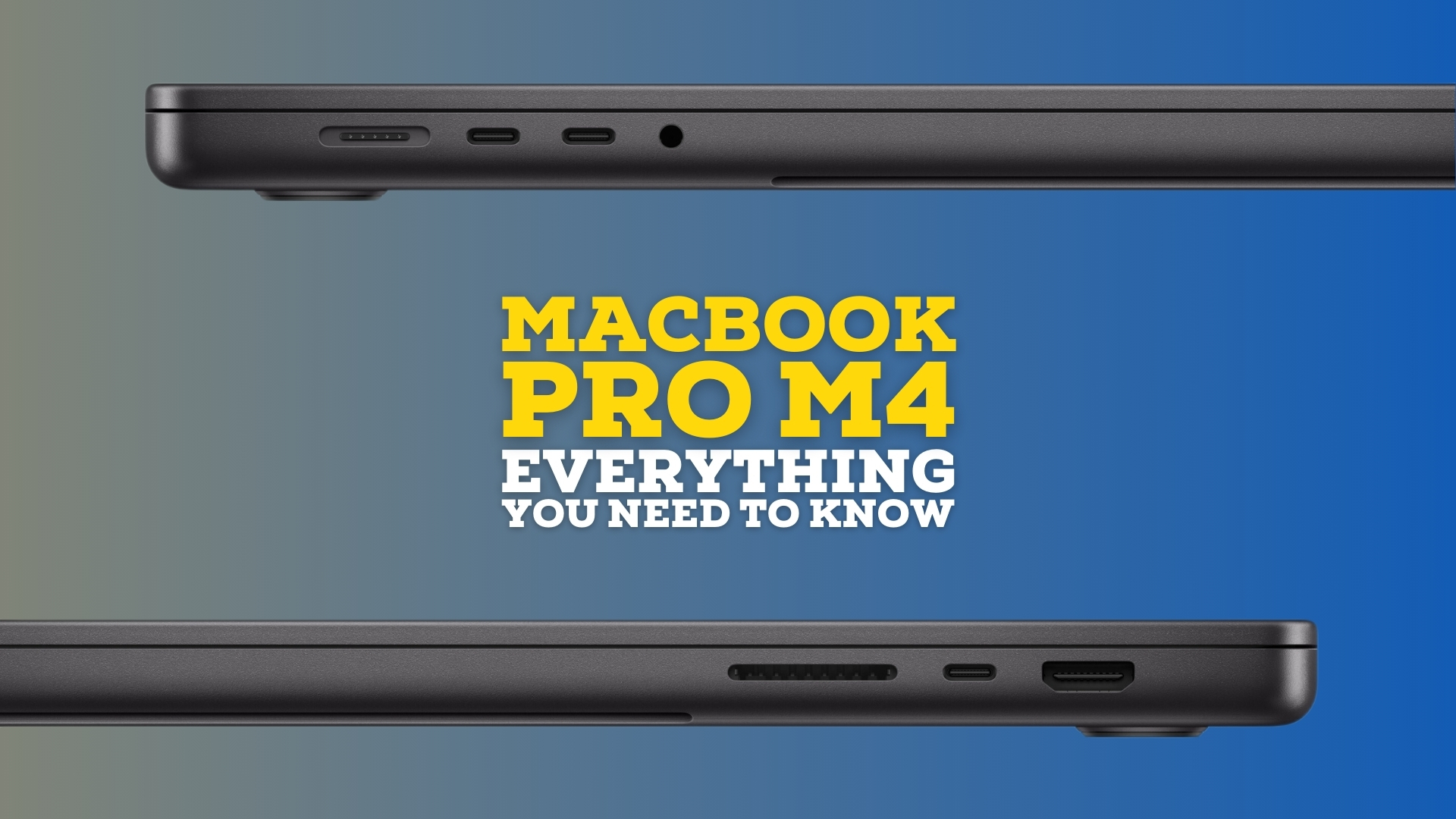
The new MacBook Pro M4 14 gives you three Thunderbolt 4 ports. One on the right, two on the left. This seems like a small detail until you’re at a desk and your charger is on the wrong side. Or until you want to plug in an external drive and a secondary monitor without a dongle nightmare.
Speaking of monitors, this base M4 now supports two external displays even when the laptop lid is open. This was a massive pain point for years. Previously, you had to close the laptop to get dual displays on the base chip. Now, you can actually use your built-in XDR screen alongside two 6K Pro Display XDRs. It’s a huge productivity win for home office setups.
Battery Life and the 24-Hour Myth
Apple claims up to 24 hours of battery life.
Look, nobody actually gets 24 hours of real work done. If you’re just watching downloaded movies on a plane at 20% brightness, sure, you might hit it. But in a standard "pro" workday—coding, editing, heavy browsing—you’re looking at about 14 to 16 hours.
That’s still insane.
You can leave the MagSafe cable at home for a full day at the office. I’ve done it. There’s a specific kind of freedom in knowing you won't be "that person" hunting for an outlet in a conference room. The MacBook Pro M4 14 remains the king of efficiency. Even when it’s unplugged, the performance doesn't drop. PC laptops usually throttle their power by 30-50% when they aren't connected to a wall. This thing just keeps humming.
Center Stage and the 12MP Camera
The webcam got a massive upgrade. It’s a 12MP Center Stage camera. It follows you around if you move during a call, which is cool, I guess, but the real winner is "Desk View." It uses the wide-angle lens to show your desk and your face at the same time. If you’re a teacher or someone who likes to show off physical sketches, it’s a killer feature.
The microphones are still the best in the business. They call them "studio quality," and while I wouldn't record a Platinum record on them, they’re better than most dedicated USB mics people buy.
Why People Still Buy the Air Instead
Here is the elephant in the room. The MacBook Air exists. It’s thinner. It’s lighter. It’s cheaper.
So why get the MacBook Pro M4 14?
It’s the screen. Once you see 120Hz ProMotion, you can’t go back to the 60Hz screen on the Air. Everything on the Pro looks fluid. Scrolling through a website feels like butter. Then there’s the HDMI 2.1 port and the SDXC card slot. If you’re a photographer, not having to carry a dongle for your SD cards is worth the extra weight alone.
But it is heavier. You’ll feel that extra half-pound in your bag after a long day of walking. It’s a trade-off. You’re trading portability for a "reference grade" display and sustained performance. The Air will eventually throttle if you’re doing a 30-minute 4K export because it doesn't have a fan. The Pro just keeps going.
The Nuance of Unified Memory
We need to address the "16GB is enough" debate. For 90% of users, 16GB on the MacBook Pro M4 14 is the sweet spot. Because of how macOS handles swap memory, it feels much faster than 16GB on a Windows machine.
However, if you are working with massive 8K video files or running multiple virtual machines, you’ll still want to look at the M4 Pro or M4 Max chips. Those aren't just faster; they have more memory bandwidth. The base M4 has 120GB/s of memory bandwidth. The M4 Pro doubles that. If you don't know what "memory bandwidth" is, you probably don't need to worry about it. The base model is plenty.
The Reality of the Price Tag
Starting at $1,599 (and often on sale for $1,499 at places like Amazon or Best Buy), the MacBook Pro M4 14 is an investment. It’s not a "budget" laptop. But when you look at the build quality—the haptic trackpad that doesn't actually move but feels like it does, the six-speaker sound system that puts most TVs to shame, and the sheer longevity of Apple Silicon—the value is there.
Most people keep these machines for 5 to 7 years. When you break it down, you're paying for the lack of frustration. No blue screens, no weird driver updates, no fan noise while watching YouTube.
Actionable Steps for Potential Buyers
If you are currently sitting on an Intel-based Mac, stop reading and go buy this. The jump is astronomical. If you are on an M1 or M2, it’s a tougher call. Here is how to actually decide:
- Check your port usage: If you're constantly using dongles for HDMI or SD cards, the 14-inch Pro will simplify your life immediately.
- Evaluate your "Display Time": If you work outside or in bright offices, prioritize the $150 nano-texture glass upgrade. It's the most impactful physical change to the lineup.
- Don't overspend on the Max: Most users looking at the 14-inch form factor are better off with the standard M4 or M4 Pro. The M4 Max in a 14-inch chassis can get loud and hot because there's simply less room for heat to dissipate compared to the 16-inch model.
- Education Pricing: If you're a student or work in a school, always check the Apple Education Store. You can usually shave $100-$200 off the price of a MacBook Pro M4 14 and sometimes get a gift card during "Back to School" seasons.
- The 512GB Trap: 512GB of storage fills up fast. If you do any video work, factor in the cost of a fast external SSD (like a Samsung T7 or T9) rather than paying Apple's exorbitant prices for internal storage upgrades.
The 14-inch form factor remains the "Goldilocks" of the laptop world. It's big enough to be a primary workstation and small enough to fit on a cramped airplane tray table. With the M4 generation, Apple has finally stopped gatekeeping basic features like decent RAM and a third port. It makes the "base" Pro a legitimate recommendation for the first time in years.